Fast Panorama Download Master
Introduction
Fast Panorama Download Master allows you to batch download the highest resolution panoramic images from KRPano panorama websites and Baidu Street View. Easy to install and use, no additional environment configuration needed. Perfect for developers to research panorama development and create simple demos.
Download:
Official Website:
Join Our Community
Fast Panorama Download Master Discussion Group: 523776953
Features
- Supports both KRPano panorama projects and Baidu Street View
- One-click batch download of all scene panoramas
- Download the highest resolution panoramas available
- Supports both Windows and Mac platforms
Screenshots
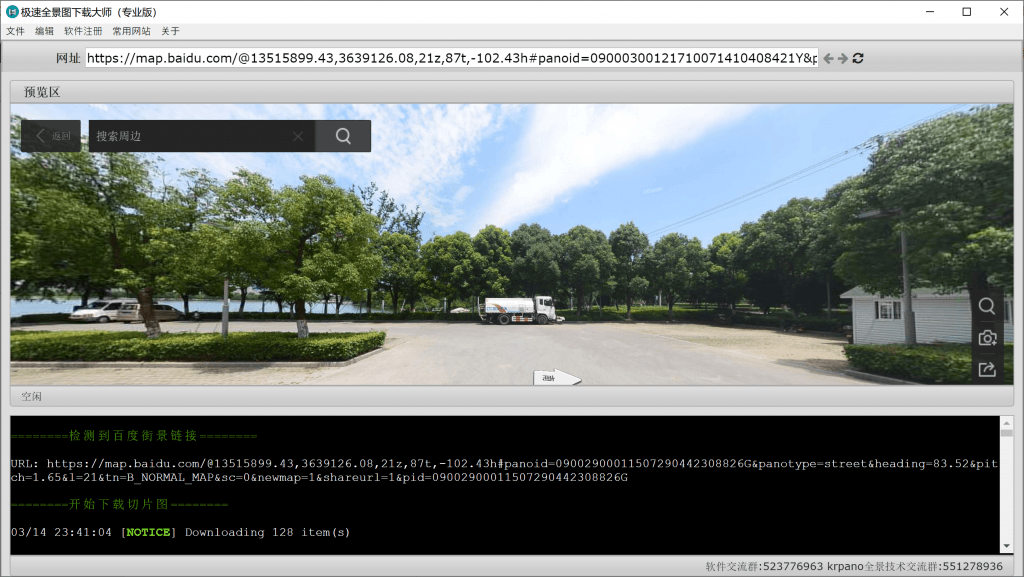
Download Steps
Baidu Street View Download Steps
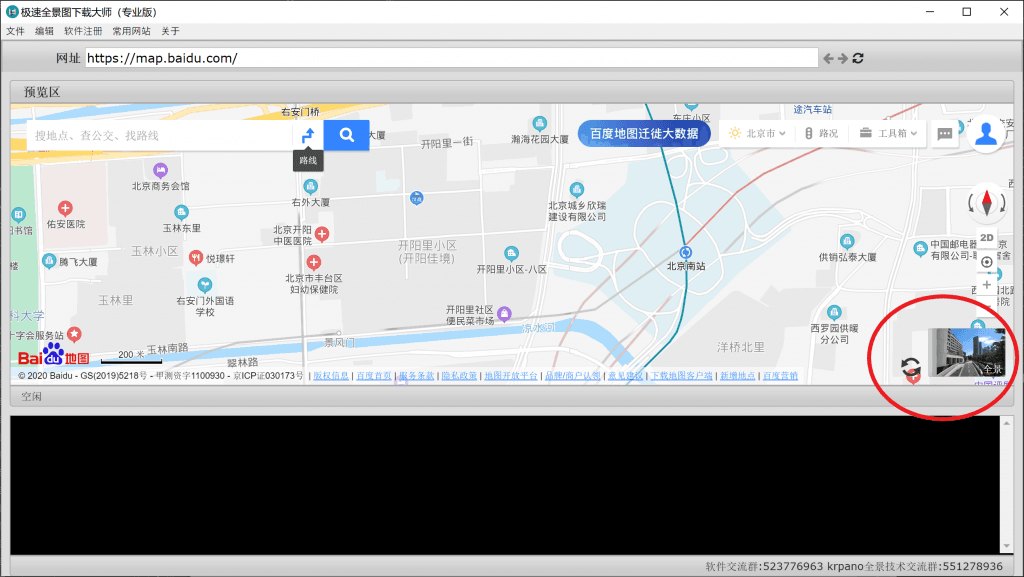
- Enter https://map.baidu.com, open Baidu Maps, click the street view icon in the bottom right corner
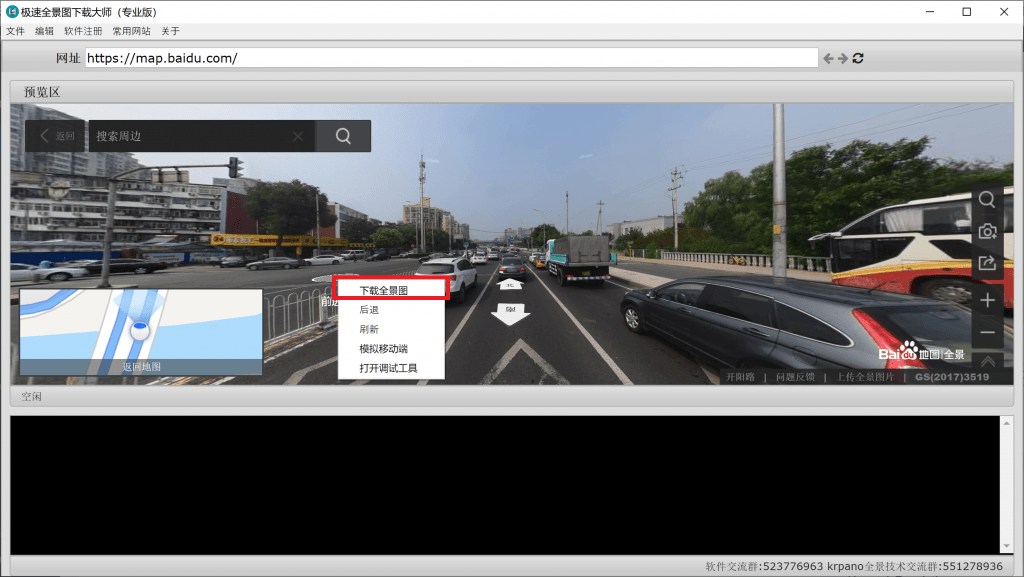
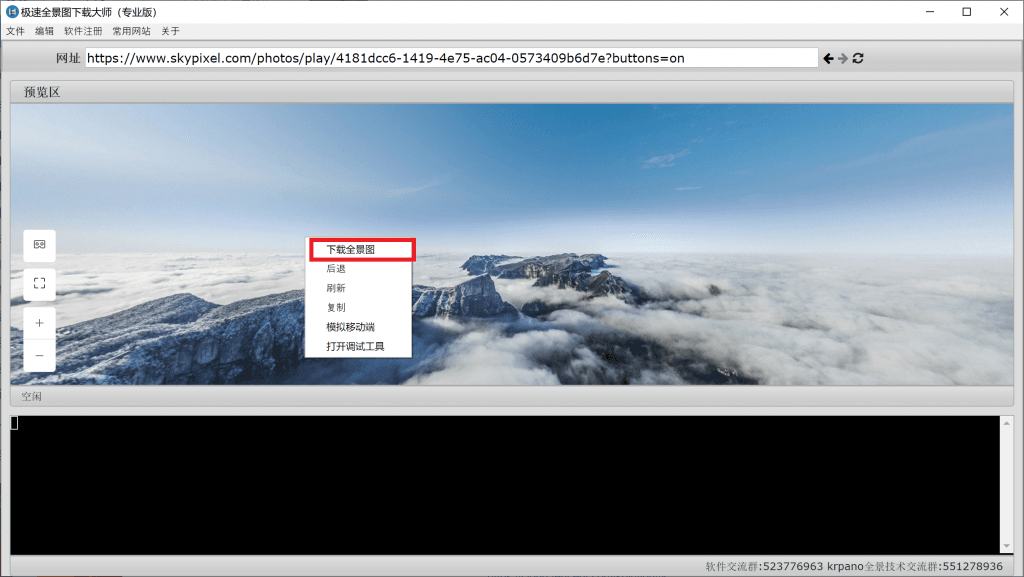
- After entering panorama mode, right-click and select “Download Panorama”
- Select the save location and click OK to start downloading
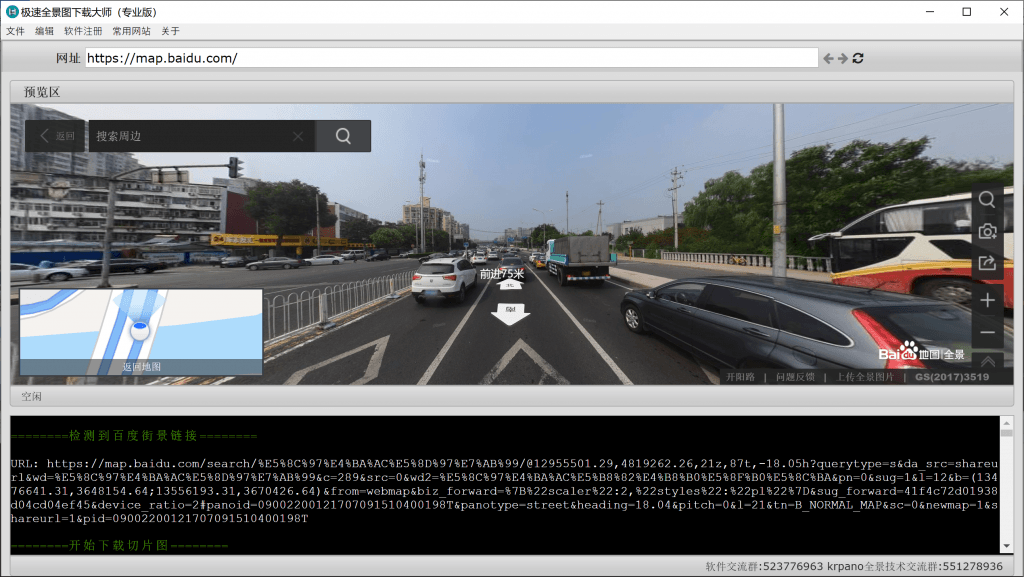
- After download completes, the save directory will open automatically
KRPano Panorama Download Steps
- Enter the panorama URL and press Enter
Example: https://www.skypixel.com/photos/play/4181dcc6-1419-4e75-ac04-0573409b6d7e?buttons=on
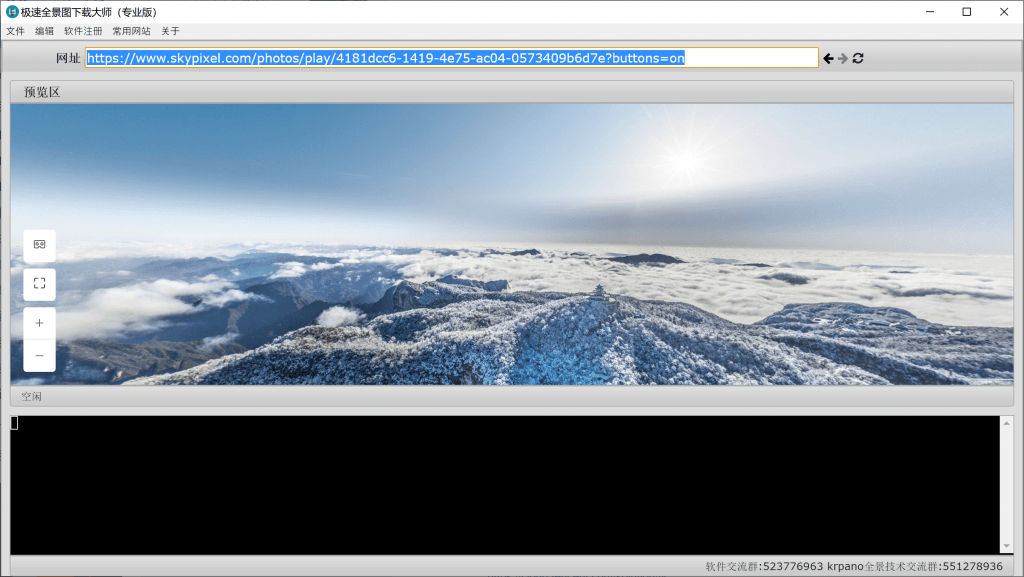
- Right-click and select “Download Panorama”
- Select save location and click OK. The software will automatically download all scene panoramas
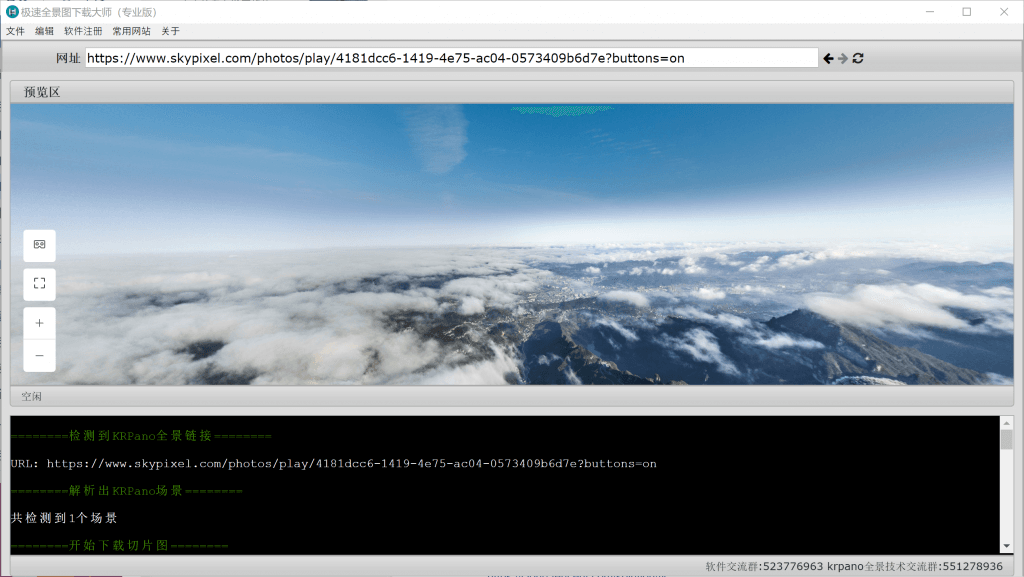
- After download completes, the save directory will open automatically
FAQ
1. What panoramas can be downloaded?
Currently supports KRPano-based panorama projects and Baidu Street View
2. How to create panorama tours after downloading?
After obtaining panoramas, you can use BZ Panorama Editor
3. Which websites are currently supported?
Check the “Common URLs” menu in the software for tested supported websites
4. Download error that cannot be resolved?
Contact Email: leapever@foxmail.com for technical support
Version History
1.4.0 (2021.3.9)
- Updated support for latest Kujiale downloads
- Fixed download failures for panoramas with special names
- Fixed URL parsing issues
- Added 720yun auto-rename support
- Added dozens of niche panorama website downloads
1.3.0 (2020.7.3)
- Support single or multiple scene download selection
- Support low/high resolution download options
- Added hidden panorama detection
- Support extremely high resolution image downloads
- Added resume download support
1.2.0 (2020.4.8)
- Added support for latest KRPano websites
- Added cylindrical panorama download support
- Muted all websites to avoid disturbance
1.1.0 (2020.3.18)
- Fixed some links/websites download issues
1.0.0 (2020.3.15)
- Initial release