HTML to APK in 5 Minutes - Complete Packaging Tutorial
Want to turn your website or HTML5 project into an Android app? HTML2APK Packer makes it incredibly easy. Whether you’re a web developer, designer, or complete beginner, this tutorial will help you package your first APK in just 5 minutes — no programming skills or Android SDK required.
📥 Download & Install
Visit the official website to download HTML2APK Packer. Simple installation, works on Windows 7 or above.
Official Website: https://html2apk.leapever.net/
🎯 What Can You Package?
HTML2APK Packer supports two packaging modes:
Package Online Websites
- Business websites, blogs, online stores, landing pages
- Content updates automatically sync
- No need to upload files
- Example: Turn your WordPress blog into an Android app
Package Local HTML Projects
- HTML5 games, VR panoramas, interactive courseware, offline apps
- All resources packed into APK
- Works completely offline
- Code and assets fully protected
⏱️ 5-Minute Quick Start
Follow these simple steps to create your first APK:
Step 1: Choose What to Package
For Online Website:
Enter the full URL in the “URL or local HTML path” field.
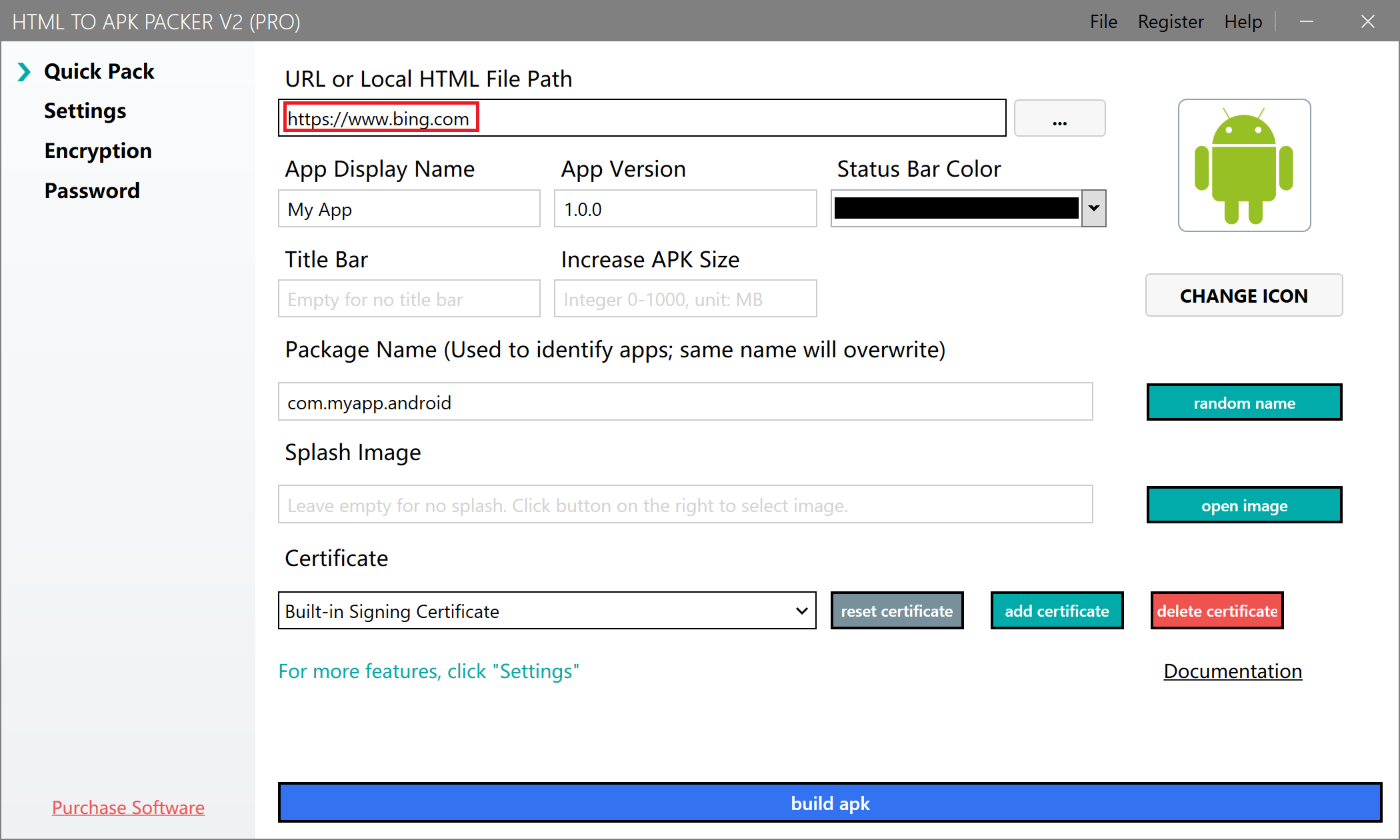
Example: https://www.bing.com
For Local HTML Project:
Click “Open File” and select your HTML entry file (usually index.html).
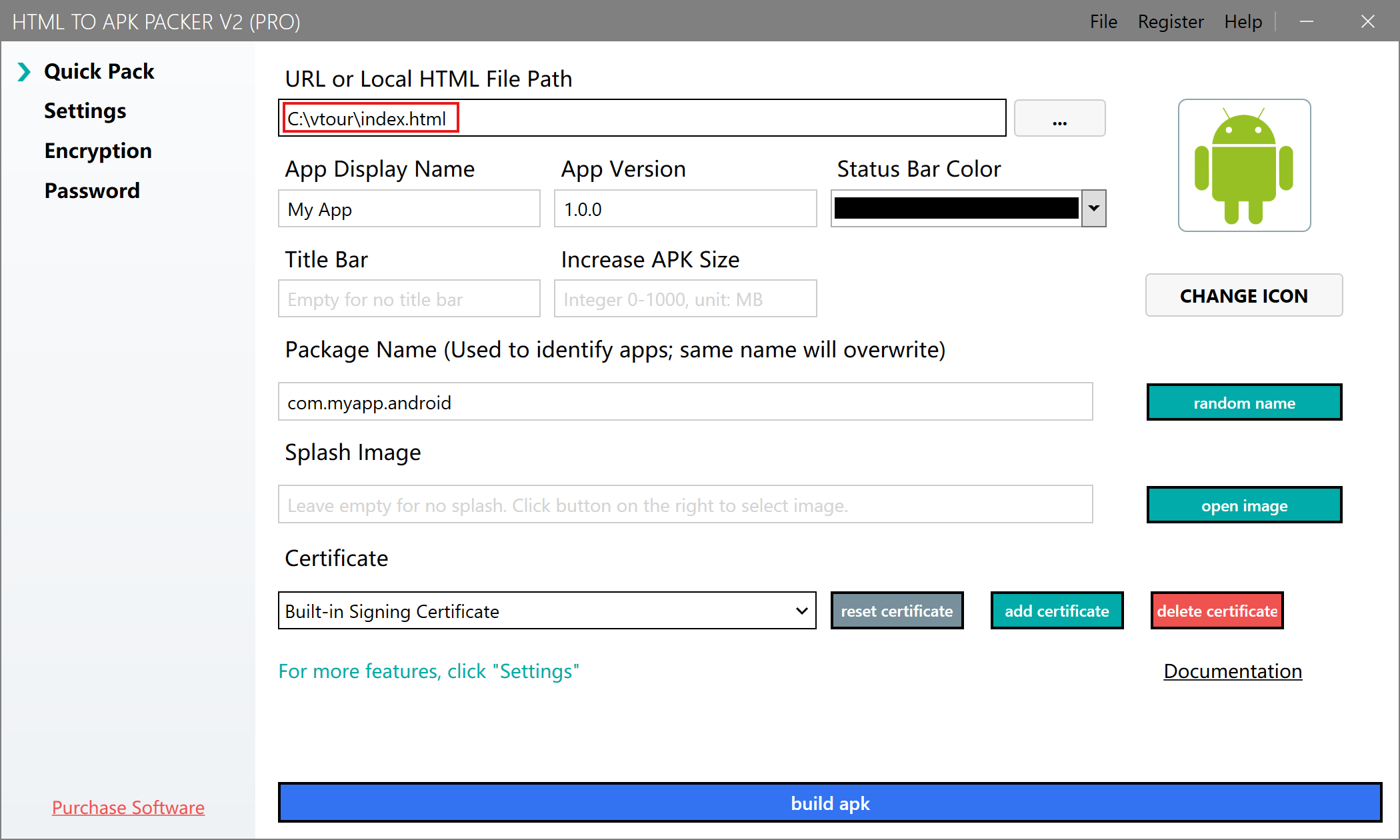
:::tip Important Notes
- Avoid Chinese characters in file names and paths
- Recommended project size: under 500MB (32-bit) or 1GB (64-bit)
- Ensure HTML files use UTF-8 encoding
:::
Step 2: Configure APP Information
Set your APP name and package name:

APP Name:
- Displayed below the icon on home screen
- Keep it 2-12 characters for best display
- Example:
My Store,Panorama Viewer
Package Name (Important!):
- Unique identifier for your APK (like an ID number)
- Format:
com.example.myapp - Can only contain letters, numbers, and dots
- Must have at least one dot
Tips
- Apps with the same package name will overwrite each other
- Use the same package name for updates
- Use different package names for different apps
Step 3: Customize Your APP Icon
Click “Change Icon” to select your custom icon:
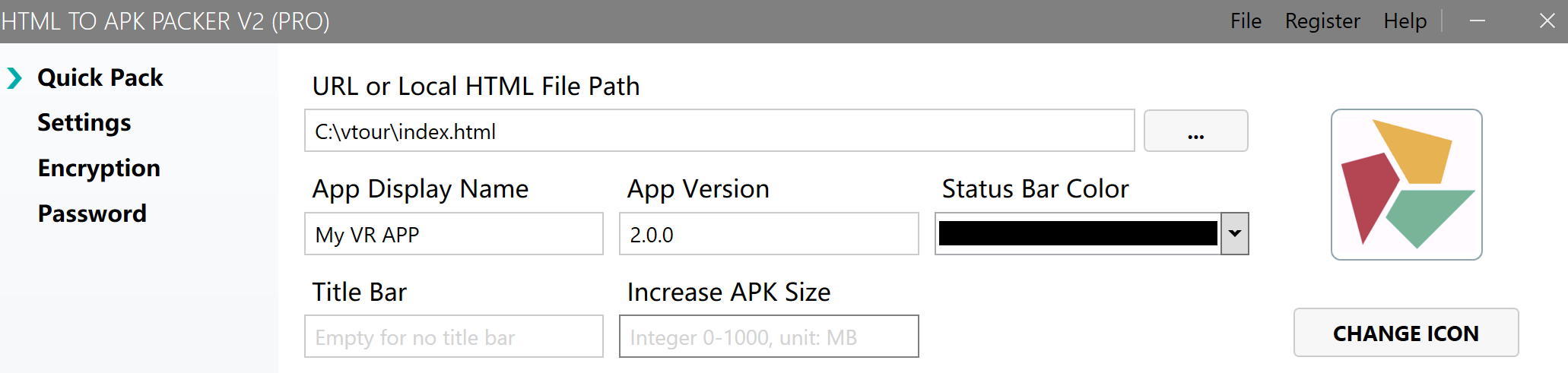
Icon Requirements:
- Recommended size: 512x512 pixels
- Supported formats: PNG, JPG, JPEG
- Design tips: Simple design, avoid too many details, transparent background PNG recommended
Step 4: Set Access Password (Optional)
Protect your APP content with a startup password:
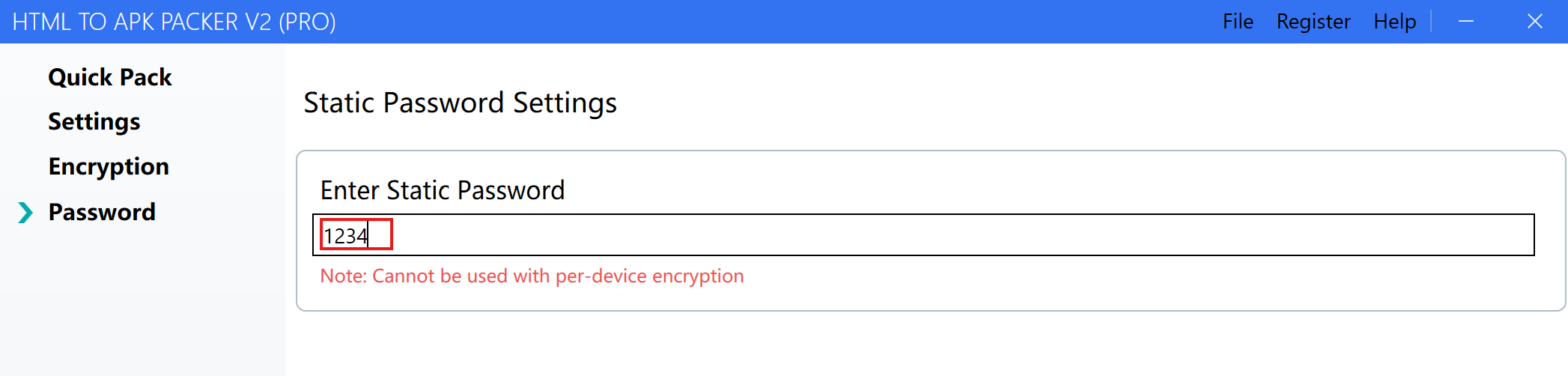
Use Cases:
- Enterprise internal apps
- VIP member exclusive content
- Paid course protection
- Restrict unauthorized access
When enabled, users must enter the correct password before accessing the app.
Step 5: Start Packaging
Click “Package APK” to begin. The process takes 1-3 minutes depending on project size.
When complete, the output folder opens automatically with your APK file ready to install!
📱 Install Your APK
Transfer Methods:
- USB cable: Connect phone and copy APK file
- Cloud storage: Upload to Google Drive, Dropbox, etc.
- Messaging apps: Send via WhatsApp, Telegram, etc.
- QR code: Generate download link QR code
Installation:
- Locate the APK file on your phone
- Tap to install
- Allow “Install from unknown sources” if prompted (first-time only)
- Open your new app from the home screen!
🚀 Advanced Features
After mastering the basics, explore more features:
Configuration Options
- Fullscreen mode for immersive experience
- Landscape/Portrait orientation locking
- Exit confirmation prompt
- Splash screen customization
- Permissions configuration (camera, location, storage, etc.)
One-Device-One-Code Authorization
Implement device binding and authorization control for commercial apps. Perfect for:
- Paid app distribution
- License management
- Device-specific activation
Visit the official documentation for complete guides.
❓ Troubleshooting
| Issue | Solution |
|---|---|
| Packaging failed | Remove Chinese characters from file paths |
| Installation failed | Requires Android 4.4 or higher |
| App crashes | Check project size and memory usage |
| White screen | Verify HTML file paths and references |
| Features not working | Check permission settings in docs |
📚 Learn More
- Official Website
- Complete Documentation
- Pricing Plans
- Email Support: leapever@foxmail.com
💡 Popular Use Cases
Web Developers: Turn client websites into branded Android apps
Game Developers: Package HTML5 games for Google Play distribution
VR Creators: Distribute KRPano panorama tours as standalone apps
Educators: Create offline courseware apps for students
Businesses: Build company apps without hiring developers
Ready to get started? Download HTML2APK Packer now and create your first Android app in minutes!